Your identity, files, AI and wallet live together in one Home on your own computer, under one set of rules, and the big decisions wait for your passkey.
The internet has no operating system
Every computer you own has an operating system. It decides which program may touch which file, which one may use the camera, and what happens when something goes wrong. The internet has nothing like that. It’s where your files, your conversations, your money and now your AI actually live, and there is no layer in charge of it on your behalf.
So every app makes its own rules. Each one decides which servers it talks to, what it sends them and what it keeps. Your identity is an account a company lends you, and it can be taken back. Your data sits wherever the app’s maker chose to put it. And as AI agents start acting for us, they walk through the same open doors. Asking an AI to behave is not a permission system.
That’s the problem Elastos was started to solve.
The idea: one computer, owned by its users
Rong Chen founded Elastos on a simple belief: the internet should work like one computer, and the people who use it should own it. In that world computer, a trusted runtime stands between software and the machine, identities belong to people rather than companies, and computing runs across devices that people operate themselves.
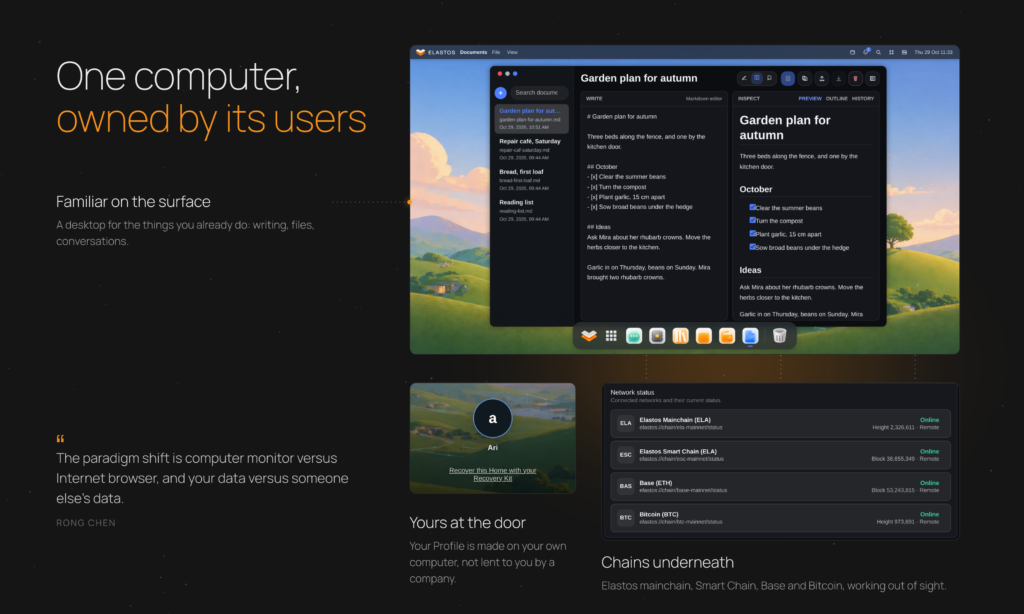
He calls it the Elastos World Computer, envisioned as “a single decentralized system used by everyone and their AI agents on Earth.” In it, you would see a familiar desktop and do familiar things, like buying a movie, joining a social network or writing a blog, with blockchains and wallets working behind the scenes. In his words, “the paradigm shift is computer monitor versus Internet browser, and your data versus someone else’s data.” And today’s habit of apps taking your data online “is not a bug but a feature by design.”
The Elastos mainchain went live in December 2017 to anchor that vision. The operating system to go with it was always the harder part.
The road here
Elastos set out to give the internet an operating system long before most people felt the need. The road has had its turns, as anything this ambitious does, and each one sharpened the design. ElastOS v1 proved that people would run their own Home and that open code could be built in public. V2 builds it for real: a new runtime written in Rust, designed from the start around the idea that your computer answers to you. It is a new install, not an upgrade of a V1 Home. As Rong puts it, “the destination of an Internet OS once seemed daunting, but the solution now looks obvious, simple, and inevitable.”
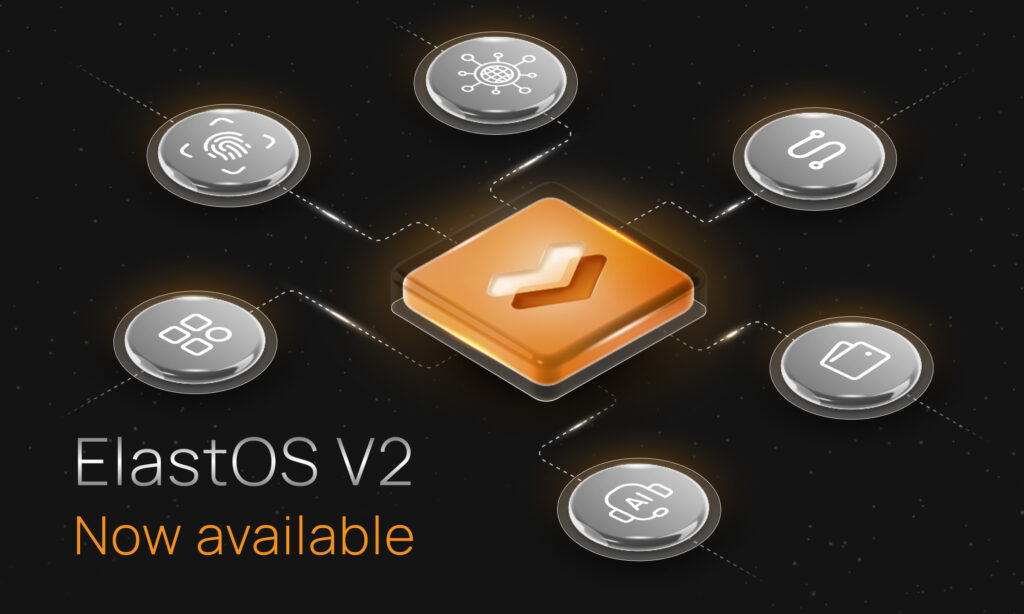
ElastOS V2 brings the pieces of ElastOS together as one environment, made for users and not only developers: the Runtime in front of your apps, Home where you work, Carrier connecting your Home to others, and a wallet inside Home that sends on Elastos Smart Chain and Base with your passkey. And it’s built to grow through signed updates that you approve.
What V2 gives you
Install it on an Apple silicon Mac or a Linux computer, sign in with a passkey, and your Home opens: one place for your documents, your AI models, your conversations and your wallet.
On most computers, every app decides for itself which servers it talks to and what it sends them. ElastOS V2 works the other way round. Apps in your Home go through the Runtime, which checks each app’s signed pass before acting for it, and the big moments wait for your passkey. Your identity is created on your own computer, not issued by a company. And your Home connects to other Homes over Carrier, the Runtime’s peer-to-peer network.
Identity, networking, storage, AI and blockchain access aren’t separate products with separate logins. They are services of one computer, with one Runtime in front of them all. That is the world computer idea, running on a computer you already own.
One set of rules for everything
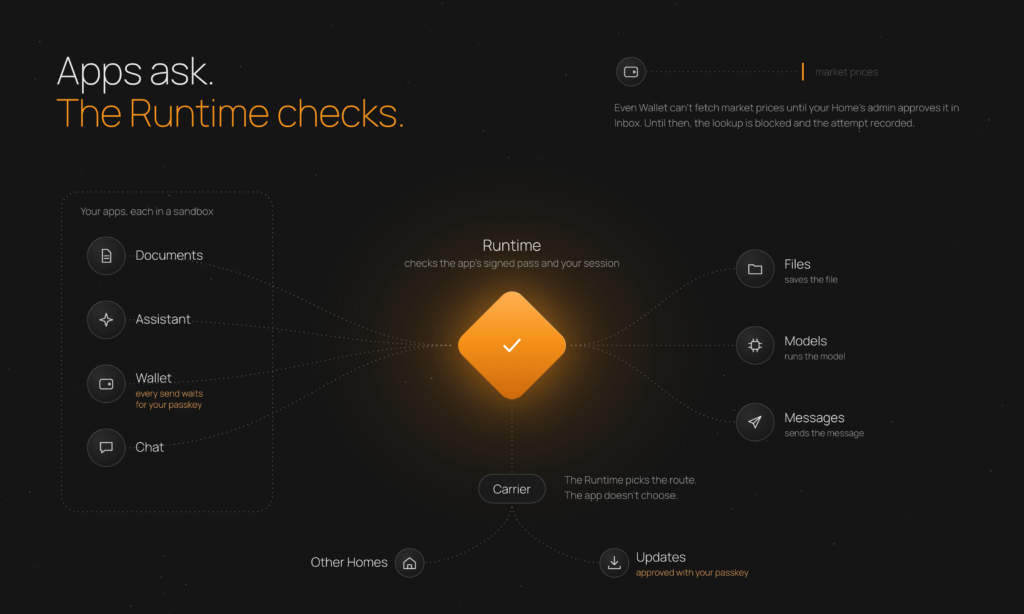
Apps run in separate sandboxed frames. When an app wants to save a file, run a model, or send a message, it asks the Runtime, which checks its signed pass and your session. In this release, Home can still use an app’s permissions, and the background services run with your account’s rights. Sealed capsules, where each app holds only what you give it, come next.
Apps don’t choose how their data travels. When your Home reaches another Home or fetches an update, the Runtime picks the route, over Carrier.
Updates and payments wait for your passkey. Even Wallet can’t look up market prices online until the Home’s admin approves the request in Inbox. Until then, the Runtime blocks the lookup and records the attempt.
V2 apps are the first generation of capsules: signed packages that your Home checks before installing, with their requests going through the Runtime. V2 lays the path, and sealed capsules come next.
How it works, in three moments
Getting an AI model. Pick a model in Marketplace. Your Home checks it against the publisher’s signed catalogue, fetches it over Carrier and keeps it on your computer. It runs on your machine, and System says so plainly: these models run on this device, and prompts stay here.
Posting in Community. Your post is signed with your Profile and carried over Carrier, through a Community node, to the other Homes, and each one checks the signature before showing it.
Updating. System shows each new version with its release notes, and you approve that exact release with your passkey. Your Home fetches it over Carrier, checks every part against the publisher’s signature, installs it beside the running version and restarts. If the new version doesn’t start, your Home is built to put the previous one back.
After the first install, updates and models arrive this way: signed, checked and carried over Carrier P2P network, not downloaded from a website.
What you can do with V2
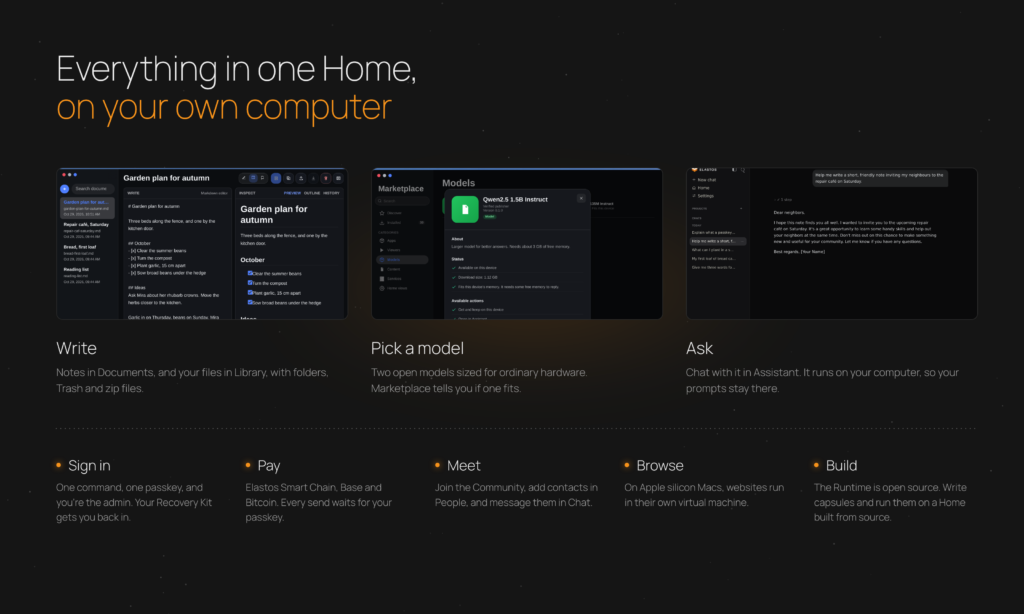
A Home that is yours. One command installs ElastOS, sets up Home and opens it in your browser. Choose a display name and create your first passkey on your computer, phone or security key; that creates your Profile and makes you admin. Your Recovery Kit holds what you need to restore your Profile, your Home’s keys and your built-in wallet keys, so you can get back in if you lose your passkeys. Admins can add a second passkey in System.
Documents and files. Documents is a simple editor for notes and text. Library is your file manager, with folders, uploads and downloads, Trash, and zip files.
AI on your machine. Marketplace offers two open models sized for ordinary hardware: SmolLM2 135M Instruct (about 145 MB) and Qwen2.5 1.5B Instruct (about 1.1 GB, and it needs about 3 GB of free memory). Marketplace shows whether each one fits your computer’s memory. Get one and chat with it in Assistant. It runs on your computer, so your prompts stay there. Assistant is built for conversation: it helps you write and answers questions, and it doesn’t open your files, browse the web or act on your behalf.
Community and contacts. Your Home joins the ElastOS Community, a shared space for V2 users, by default. Inbox asks whether others may see when you’re online, and admins can leave Community in System. In People, make yourself visible and send contact requests. Requests arrive in Inbox, and you message your contacts from Chat.
Your wallet, inside Home. Create accounts on Elastos Smart Chain, Base and Bitcoin. Receive on all three, and send from Elastos Smart Chain and Base, each time with your passkey. ELA is the native token of Elastos. It has been merge-mined with Bitcoin since 2018, and ELA holders vote in the Elastos DAO, which funds ElastOS. In Wallet, ELA is the balance on Elastos Smart Chain. Wallet also shows ETH on Base and BTC on Bitcoin. Essentials is the separate Elastos mobile wallet for staking and voting. It is not the Wallet inside Home, but rather one you connect together. Elacity dDRM markets, the shop between Homes, are still being built and are not in this release. Link MetaMask or UniSat, and review signing requests from apps in Wallet or Inbox, then approve them with your passkey in Wallet.
The web, in its own engine. On Apple silicon Macs, Browser runs websites in a separate virtual machine on your Mac, apart from the rest of your Home.
A base to build on. The Runtime is written in Rust and is open source under the MIT licence. Home, the desktop you sign into, runs on that Runtime in your browser. Developers can write capsules today and run them on a Home built from source. Full official frameworks and signing instructions will follow from the team as the operating system continues to evolve.
A higher bar. Earlier Runtime releases were for developers and testers. Before a V2 release reaches everyone, it is installed and tested end to end on Mac and Linux, and its known issues are listed in the release notes.
Good to know in this release
- Platforms. Apple silicon Macs, and Linux on x86-64 or ARM64. Windows and Intel Macs aren’t supported in this release.
- Keep the terminal window open while you use your Home.
- Save your Recovery Kit offline. Wallet keys are kept on this computer, so look after it as you would a wallet. The Recovery Kit doesn’t include your files, so back those up separately.
- Community is a public room. Posts that pass between different networks go through a Community node, which can read them until relay support arrives. Post with care.
- Direct messages need a direct connection between the two Homes. That usually works on a home network. Some other networks block it until a relay arrives in a later update.
- Files. Edit a file in one window at a time, and let saves and uploads finish before you move, rename or delete it.
- Browser is on Apple silicon Macs. Linux Homes don’t include it in this release.
- Capsules. In this first generation, Home can still reach every app’s permissions, and the background services behind your apps run with your account’s rights on the computer. Sealed capsules are next.
What’s next: from one Home to one World Computer
V2 is built to grow. Each Home installs new signed releases over Carrier when its admin approves them in System, so new capabilities reach V2 users as regular updates. Each step below builds on something V2 already does.
- Agents under the same rules. AI agents, each with its own identity, memory, permissions and budget, held to the same Runtime checks and record as you, with no blanket access to your computer.
- Sealed capsules. Each app holds only its own permissions, and approvals appear on a screen only the Runtime controls. Apps move into them one by one, each signed and checked on its own. The aim: each app reaches only what it has been given.
- Apps and capsule markets. Everything Marketplace delivers is already identified by a fingerprint of its contents and checked against a signature. The route that delivers models today will carry signed apps and content from other developers, with markets where creators can sell access to what they make.
- Homes working together. File sharing between Homes, a relay so direct messages and Community work across more networks, and services one Home offers another.
- A Mac launcher. A small app that starts your Home on a Mac.
- Tools for builders. A capsule starter kit, and the signing path that lets anyone’s Home install what developers build.
- Further out: trusted devices. A device that starts a signed ElastOS with its keys held in hardware, and in time a very small core where only capsules run.
Every Home that joins brings the world computer one step closer: a computer for the whole internet, where your data stays in your space, code comes to the data, and the internet itself fades out of sight. Elastos set out to build that from the start. V2 is the first big step, on your own desk.
Start your own Home
If you want a computer that answers to you, and a hand in shaping it, V2 is for you: developers, researchers, partners and curious early users. Install it, build on it and tell us what you find. Every report shapes what ElastOS becomes.
ElastOS is open source and part of the Elastos project founded by Rong Chen. Elacity Labs executes and builds it in public.